New YouTube Monetization Requirements for 2027 (and How to Qualify Before They Change)
If earning money from YouTube is one of your goals, YouTube just changed the math. The good news: the new rules haven't started yet.
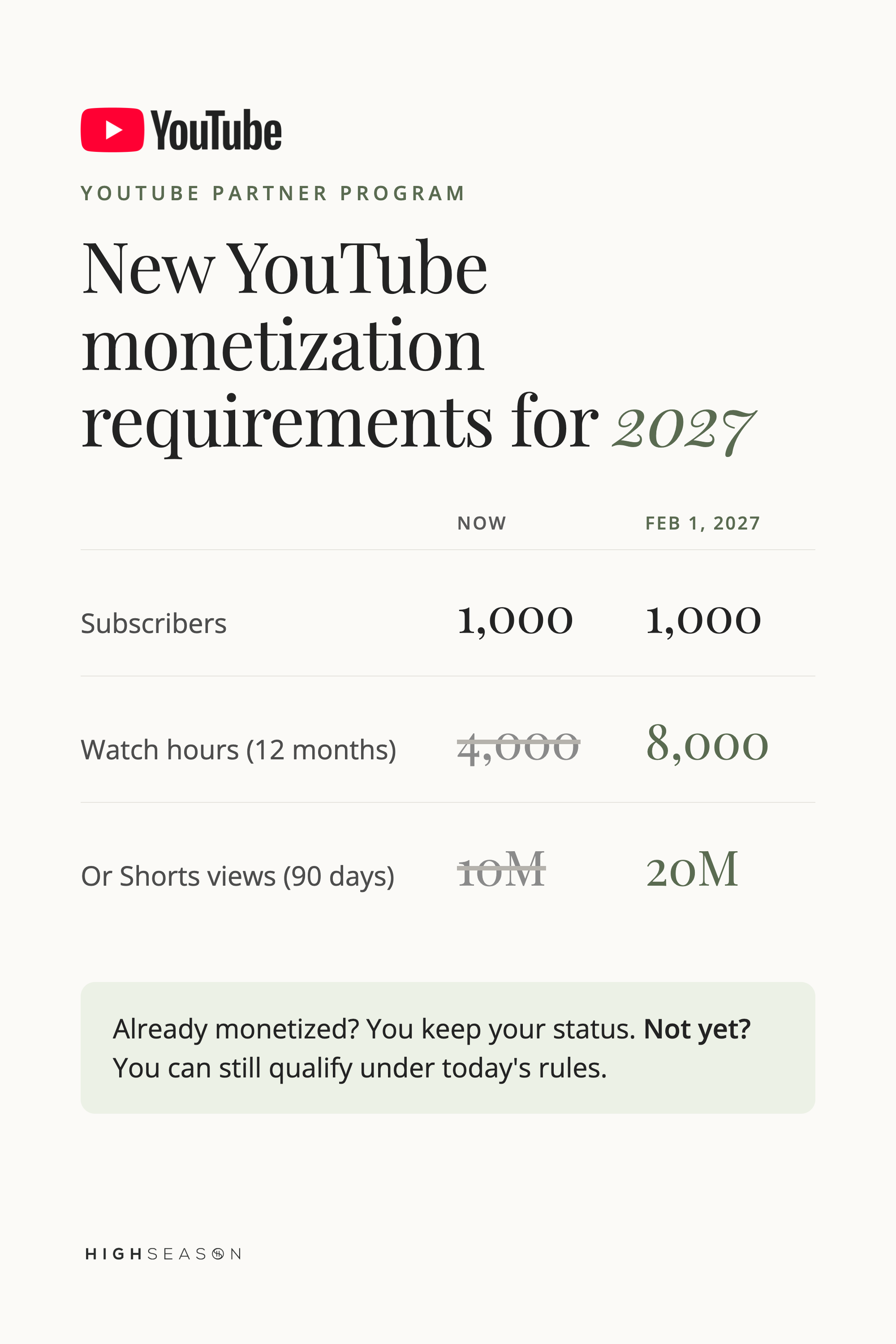
Starting February 1, 2027, new YouTube Partner Program (YPP) applicants will need 8,000 qualified watch hours in the past 365 days, up from 4,000, or 20 million qualified Shorts views in 90 days, up from 10 million. The 1,000-subscriber requirement stays the same. Channels already in YPP keep their status. If you reach 1,000 subscribers and 4,000 watch hours before then, you can still qualify under today's rules.
Prefer to watch? We break down every change and our full game plan in this video.
We've been where you are. We grew our channel through YouTube Search, crossed 1,000 subscribers and qualified with 4,000 watch hours. Here's what we'd focus on if we were starting again today.
What YouTube changed in the Partner Program
YouTube announced these updates on August 10, 2026. It's the first major change to the YPP entry requirements since 2018.
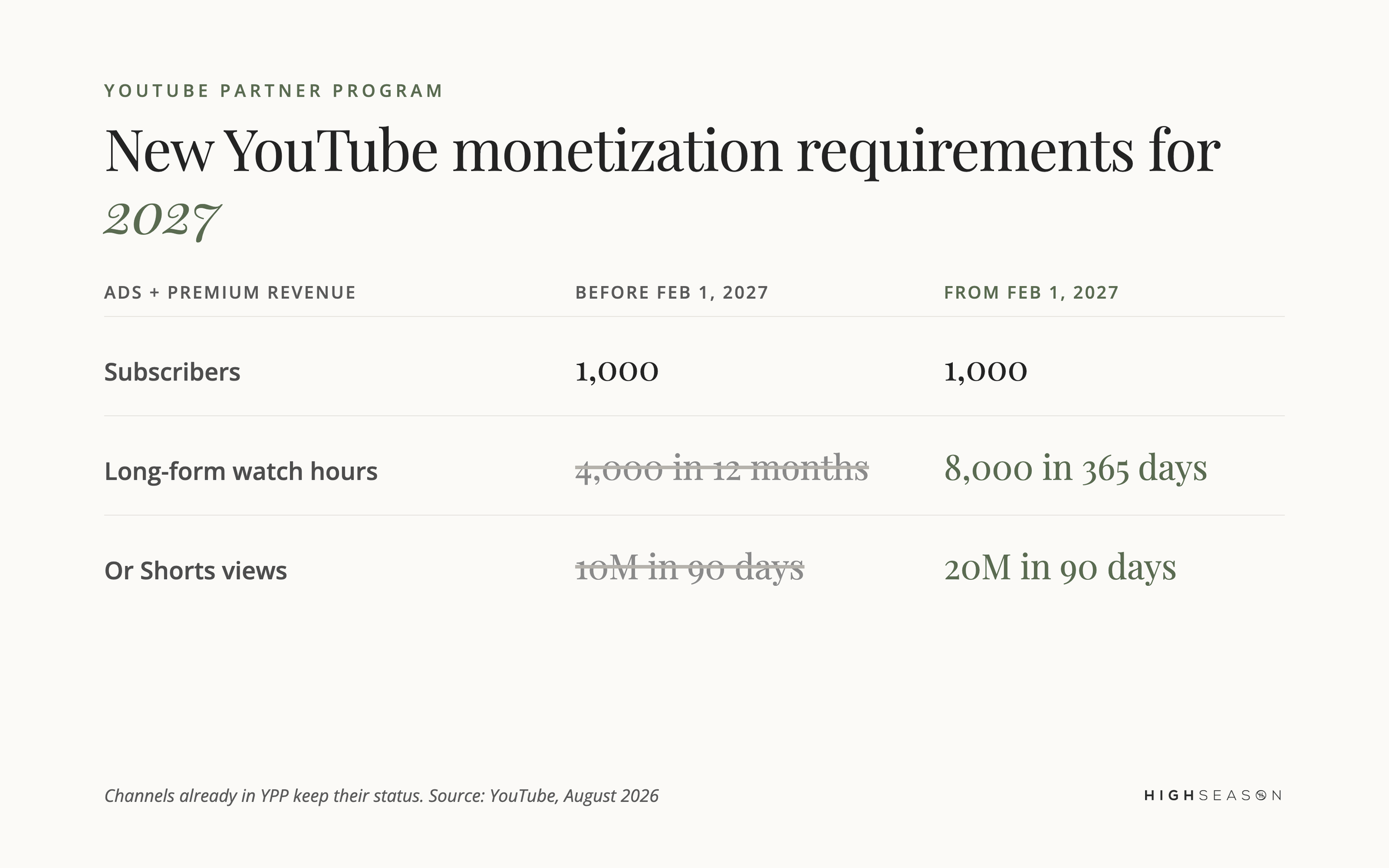
In short: subscribers stay at 1,000, long-form watch hours go from 4,000 to 8,000, and Shorts views go from 10 million to 20 million.
1. The full monetization tier gets harder to reach
This is the change to pay attention to if you're working toward monetization. The watch-hour and Shorts-view requirements both double for new applicants. If you're already in YPP, you don't need to go back and earn 8,000 hours.
So if you're sitting at 700 subscribers, or 2,500 watch hours, or even zero, your timeline matters more now. There's still a window to qualify under the current requirements.
2. The 500-subscriber tier isn't changing
Many headlines make it sound like YouTube doubled everything. It didn't. The earlier-access tier, available in eligible countries, still needs 500 subscribers, three public uploads in 90 days, and either 3,000 watch hours in 12 months or 3 million Shorts views in 90 days. It gives you access to fan funding and eligible Shopping features. The bigger door, ads and Premium revenue, is the one getting harder.
3. Shorts earnings now need 10 million views every 90 days
This one affects channels already in YPP. From February 1, 2027, you'll need 10 million qualified Shorts views over the past 90 days to earn from the Shorts revenue pool. Fall below it and you stay in YPP. Your long-form videos keep earning, and Shorts revenue pauses until you cross 10 million again.
For most channels built on long-form video, this won't change much. Our Shorts revenue barely covers a coffee a month. But we still believe in Shorts. We've earned almost 1 million Shorts views, and we use them to send people to our long-form videos.
4. Premium Lite becomes a new way to earn
YouTube is expanding Premium Lite to every country where YouTube Premium is offered. Partners can earn from a dedicated pool based on what Premium Lite members watch. YouTube puts 60% of net Premium Lite revenue into that pool, compared with 30% for regular Premium. The short version: more subscription viewing means another way to earn.
5. More ways to earn are coming
YouTube says it's building new incentive programs, including bonuses for YouTube Shopping, incentives tied to brand deals and boosts for creators who start or grow trends. Details aren't out yet. It's a sign YouTube wants to reward successful channels in more ways than ad revenue alone.
Already monetized? Accept the new terms by January 31, 2027
This step isn't in most coverage. YouTube's Help Center says current partners need to review and accept the updated terms in YouTube Studio by January 31, 2027, to keep fully monetizing. It takes a few minutes. Don't let it slide.
Why is YouTube changing the monetization requirements?
YouTube says the changes help it keep rewarding active creators and fund new incentive programs. The platform, and the number of channels competing for revenue, has grown a lot since 2018. AI and faceless channels have also grown fast. YouTube hasn't named them as a reason, but we'd guess the spike in big payouts made it take a closer look.
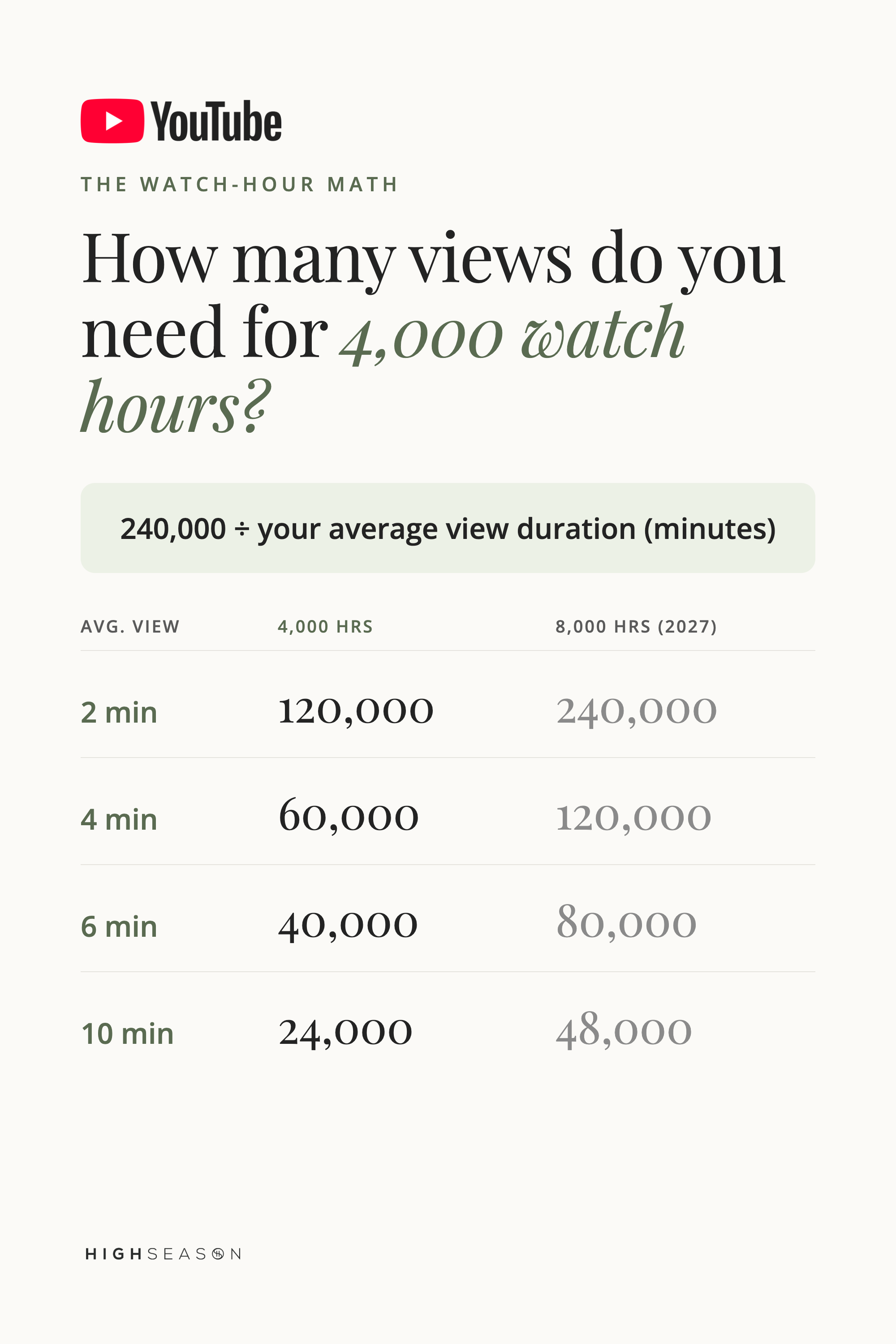
How many views do you need for 4,000 watch hours?
You need roughly 240,000 divided by your average view duration in minutes. Four thousand hours is 240,000 minutes of viewing, so the longer people watch, the fewer views you need.
Find your average view duration in YouTube Studio under Analytics, then Content.
For example, a 4-minute average view duration needs about 60,000 views for 4,000 hours today, and about 120,000 once the requirement doubles to 8,000.
Here's the same math for both thresholds, so you can see what's at stake if you miss the February deadline:
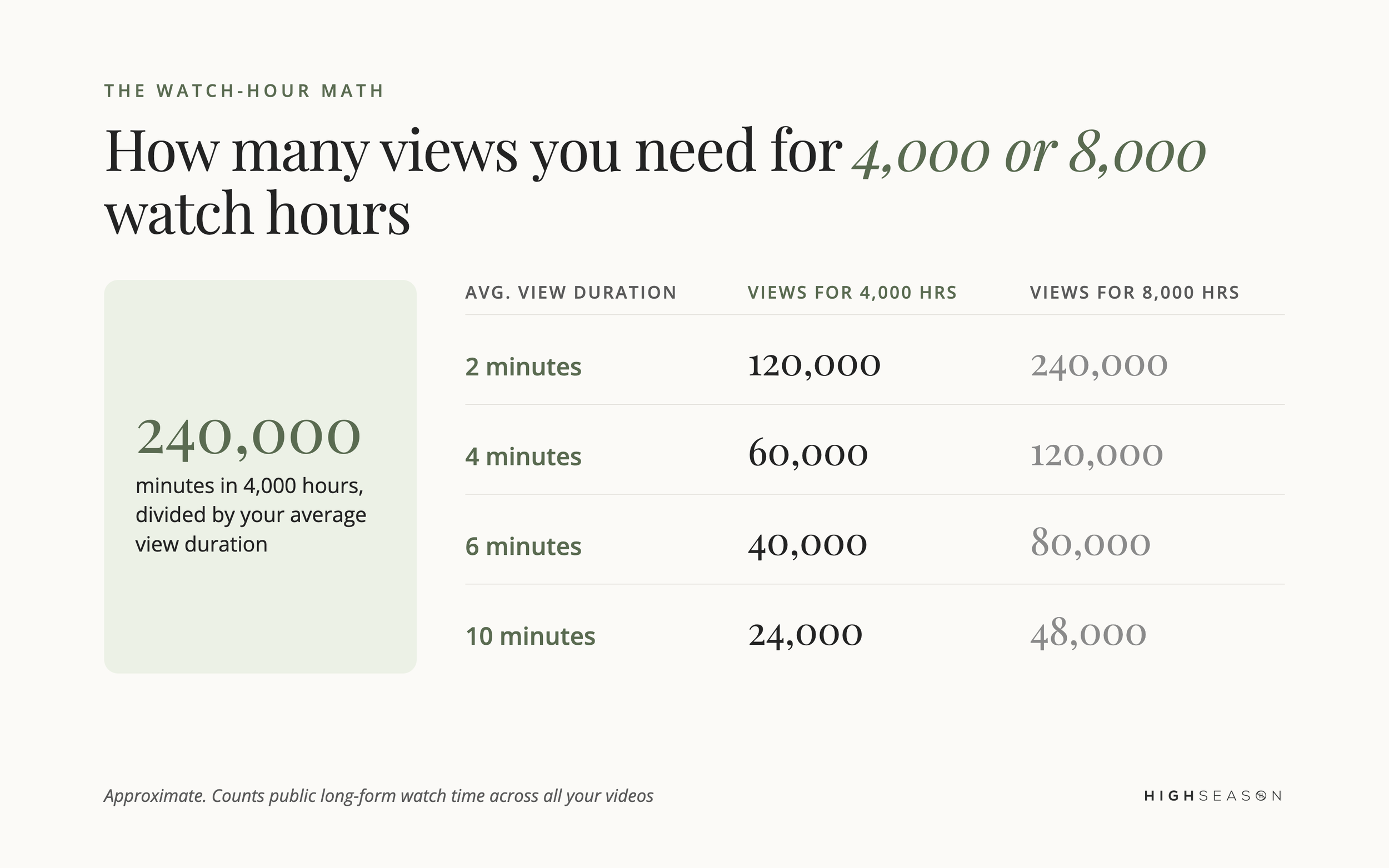
Those views don't have to come from one video. They add up across all your public long-form videos. That's why one of the biggest levers is making videos that earn more time from every view.
What counts toward YouTube watch hours (and what doesn't)
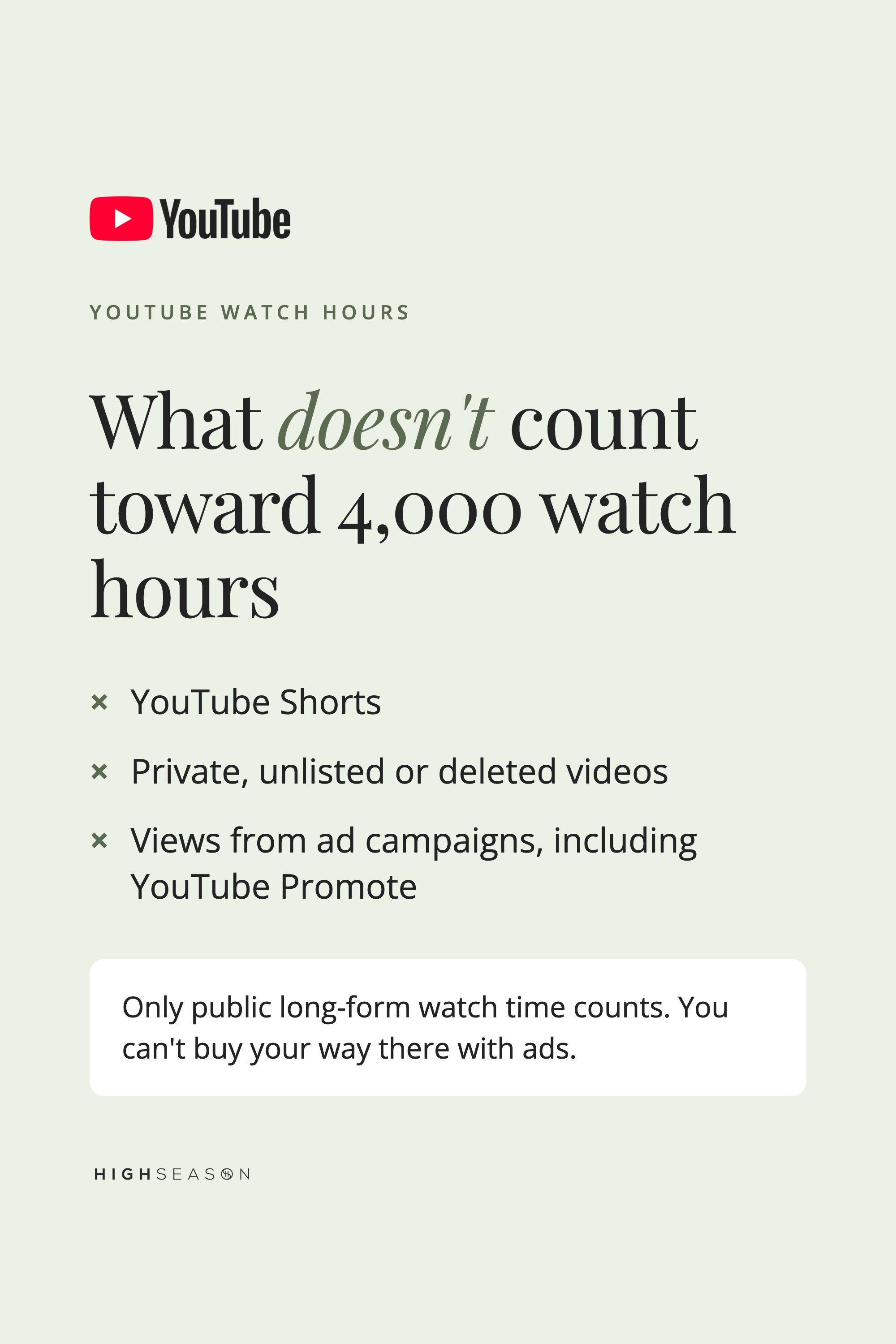
Only qualified watch time from public long-form videos counts toward the YPP watch-hour requirement. These don't count:
YouTube Shorts
Private, unlisted or deleted videos
Views from ad campaigns, including YouTube Promote
That last one matters. You can't buy your way to 4,000 hours with ads. YouTube says watch hours and subscribers gained through ad campaigns don't count toward eligibility.
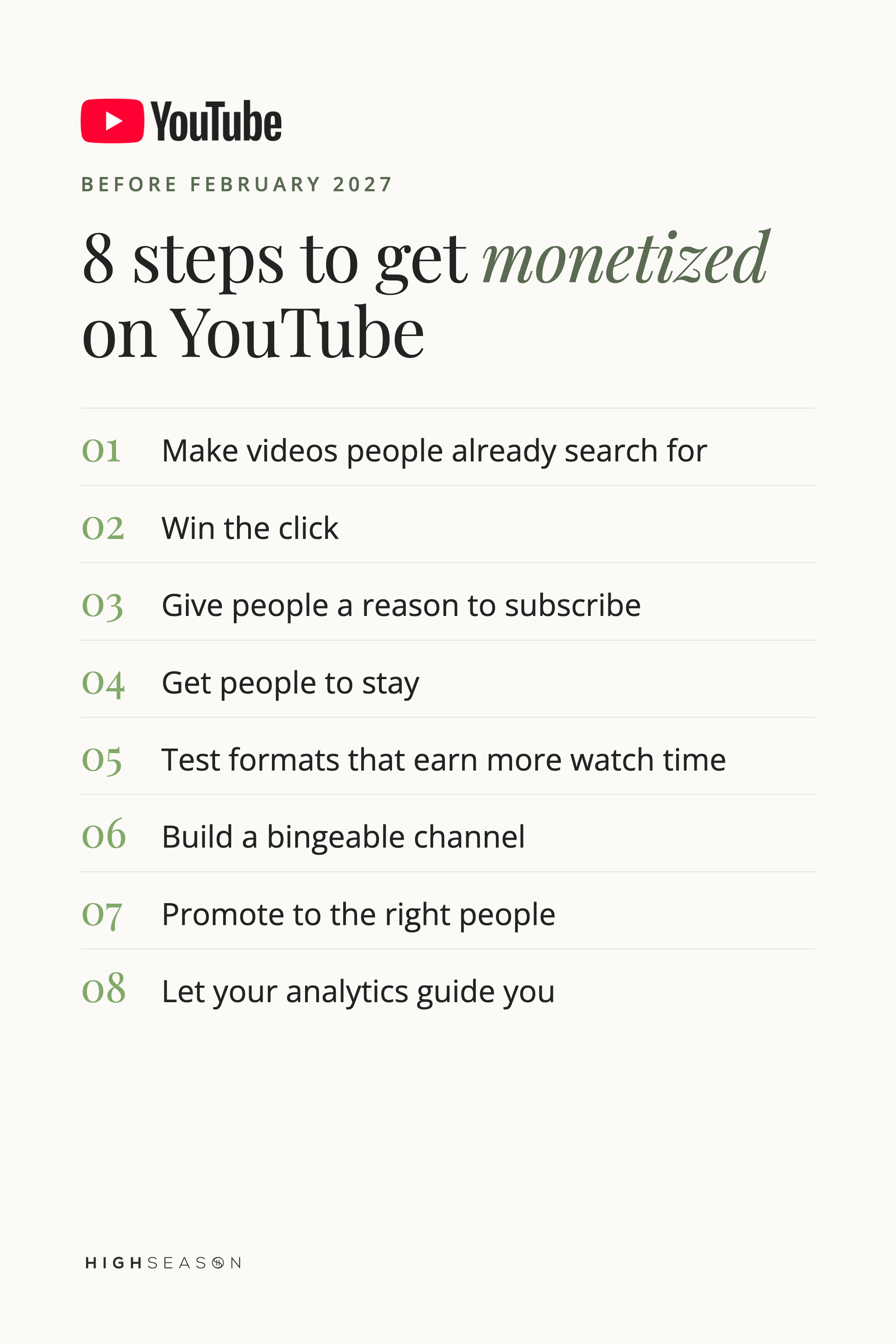
How to get monetized on YouTube before February 1, 2027: 8 steps
Think of the two requirements as two different viewer journeys:
1,000 subscribers: Find → Click → Watch → Subscribe
4,000 watch hours: Click → Watch → Stay → Watch more
Each step below improves one part of those journeys.
Step 1: Make videos people are already searching for
On a small channel, people don't know you exist yet. YouTube Search helps because the viewer is actively asking for what you know. They're not searching for you. They're searching for an answer, and your job is to become it.
Before your next video, ask: what would someone type into YouTube if they needed this?
An accountant: "How to File Your 2026 Taxes as a Solo Business Owner"
A photographer: "How to Price Wedding Photography Packages"
A bakery: "How to Make Sourdough Bread for Beginners"
Use YouTube Search suggestions, Google, your own YouTube Analytics and a tool like TubeBuddy to find the words people use. Then put those keywords in your title, thumbnail, description and tags.
You can also borrow ideas from outside your niche. If "I Tried the Top-Rated Airbnbs in New York" takes off for a travel channel, a food channel could test "I Tried the Top-Rated Restaurants in Toronto." Copy the reason people clicked, not the video.
Step 2: Win the click
Your title and thumbnail pitch for someone's time against everything else on their screen. They need to answer one question: why should I watch this one?
Track your click-through rate (CTR). We use about 4% as a working benchmark, and our own channel usually sits around 5% to 6%. If a video gets plenty of impressions but few clicks, making ten more videos won't fix it. Look at the packaging first: a stronger title, a clearer thumbnail, a more obvious payoff or more curiosity.
YouTube Studio now lets you test different titles and thumbnails against each other, so you can use data instead of guessing.
Step 3: Give people a reason to subscribe
A viewer who liked one video still has to decide if your channel is for them. That's hard when your channel covers five unrelated topics for five different people.
Give your channel a clear promise: "This channel helps [this type of person] get [this result]." Ours helps business owners use social media and content to grow their business. That lets us cover YouTube, Instagram, ads and AI while still serving the same person.
And ask people to subscribe. Skip the "smash that button" energy. Tell viewers what they'll keep getting, and if you're chasing the milestone, invite them into it: "We're working toward 1,000 subscribers before the rules change. If these videos help you, subscribe and come along." People like helping build something.
Step 4: Get people to stay
A view where someone leaves after 30 seconds does little for watch time. Your intro needs to confirm they clicked the right video and give them a reason to keep watching.
Then use rehooks throughout: short moments that point to the next useful thing, like "In a minute, we'll show you the exact example." Keep delivering value. Don't hold the answer hostage until minute 19.
Tighten your editing too. Cut repetition, shorten tangents and add a screenshot or B-roll where it helps. If you get bored editing your own video, viewers will too. Your retention graph in YouTube Studio shows exactly where people leave. If they drop every time your intro runs long, cut the long intro.
Step 5: Test formats that naturally earn more watch time
More minutes only help if people want them, so don't stretch an eight-minute idea into 42 minutes. Look for formats where depth makes the video better: start-to-finish tutorials, interviews, live streams, demonstrations, experiments and challenges.
A software educator might make a full one-hour walkthrough. A baker could test "Bake a Wedding Cake With Me LIVE." A consultant could host a 45-minute conversation with another expert. Someone who spends 20 minutes learning from you trusts you in a way a 30-second clip can't match.
Step 6: Build a bingeable channel
One person watching three videos does more for your watch hours than three people watching one. It also gives YouTube a clearer picture of what to recommend.
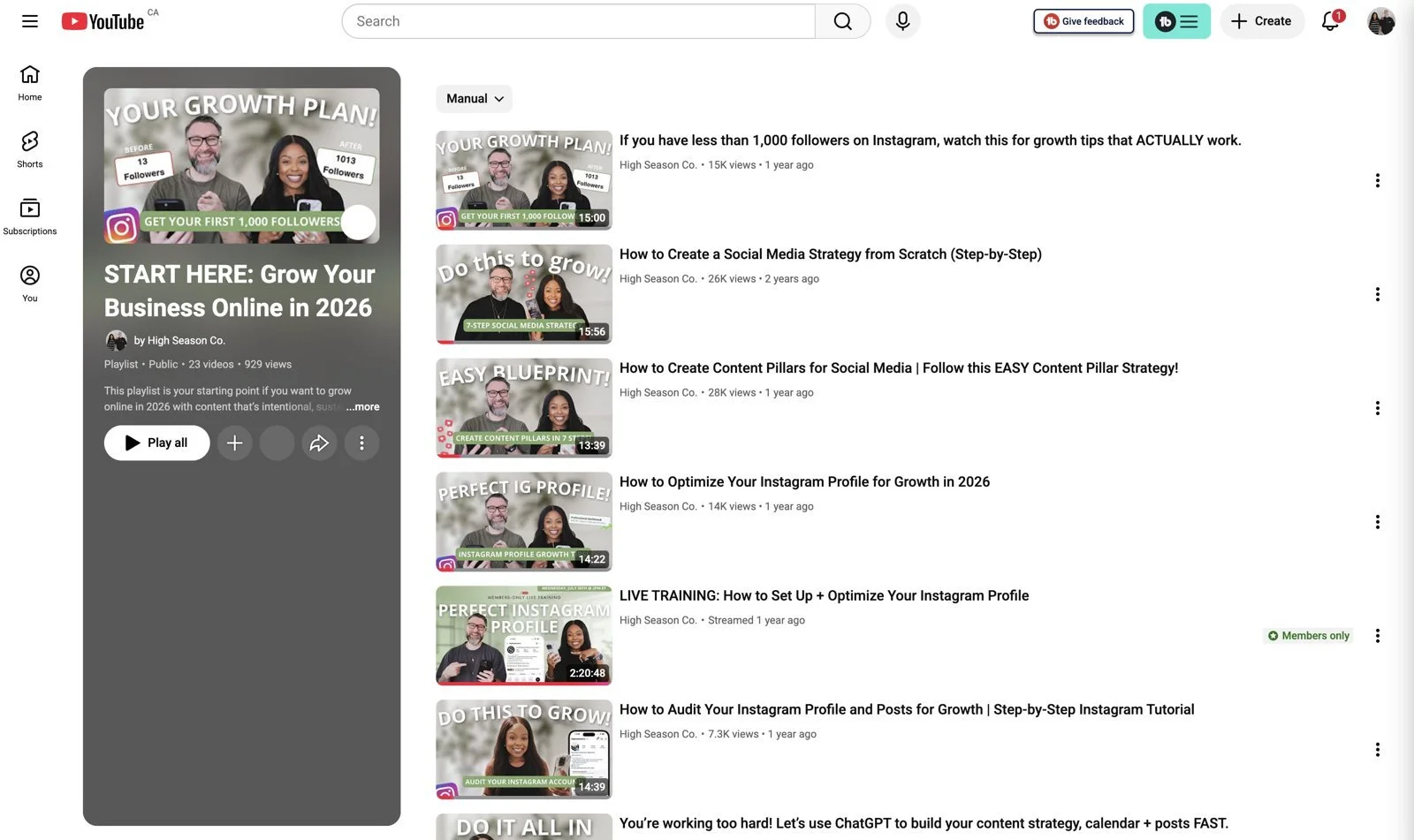
One of the biggest mistakes we see in channel audits is treating every upload as a one-off. Our own channel took off when we noticed our Instagram videos were performing well and made more of them.
Build around the next question. A podcasting channel might go from "How to Start a Podcast" to "Best Podcast Equipment for Beginners" to "How to Edit Your First Podcast." Then point the way: say it in the video, and use end screens, cards, the description, a pinned comment and playlists.
Step 7: Promote your videos to the right people
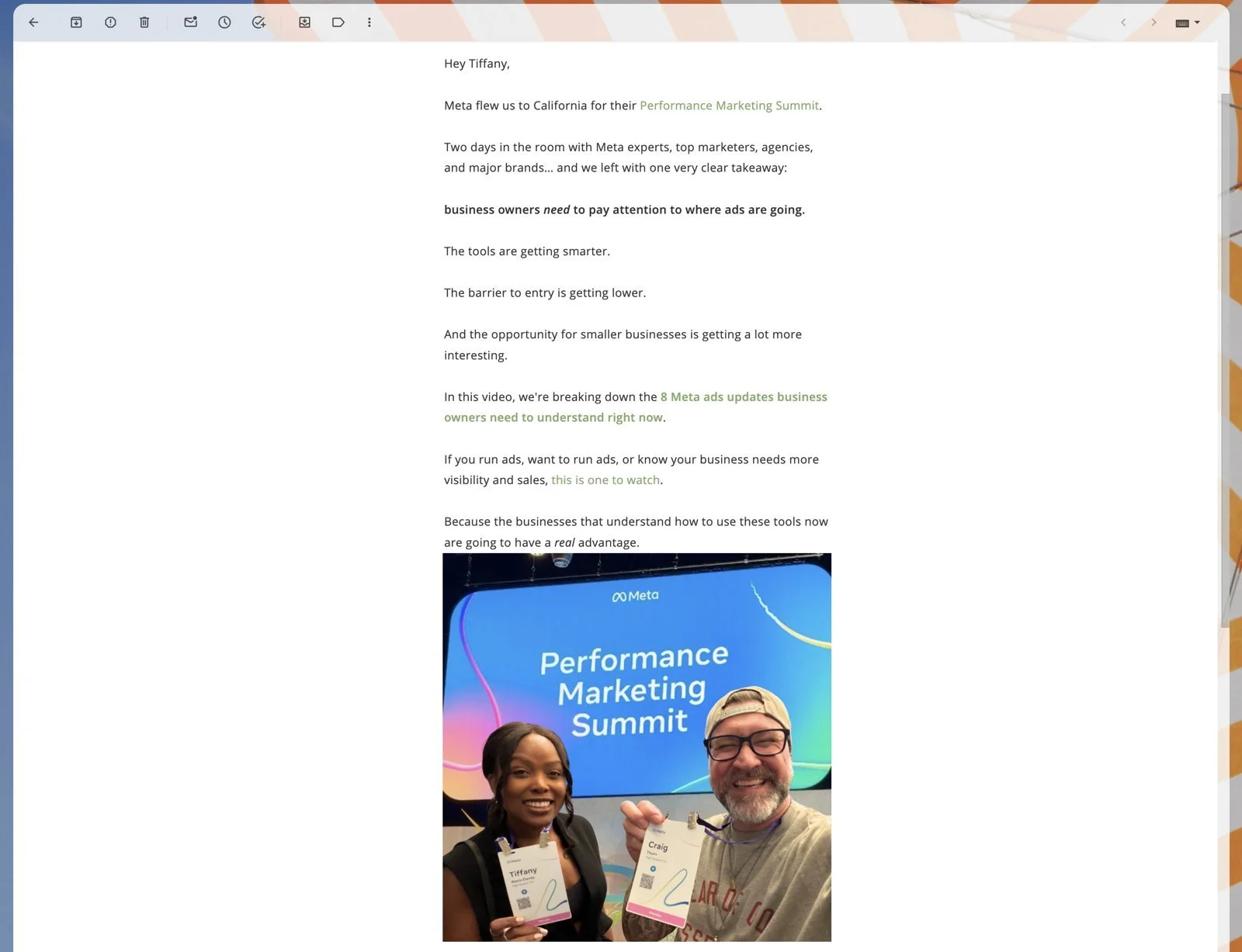
You don't have to wait for the algorithm. Share each video with the audience you already have: your email list, Instagram, LinkedIn, Facebook, Pinterest and your YouTube Community tab. Email is one of our strongest traffic sources because subscribers already know us and tend to watch.
Shorts help here too. Turn the strongest moment from each long-form video into a Short and link the full video as the related video. That's part of what we call our 3-S Framework: Search, Suggested and Shorts. Those three discovery systems helped us reach more than 6 million views.
The goal is qualified traffic: people interested enough in the topic to actually watch.
Step 8: Use your analytics to find your fastest path
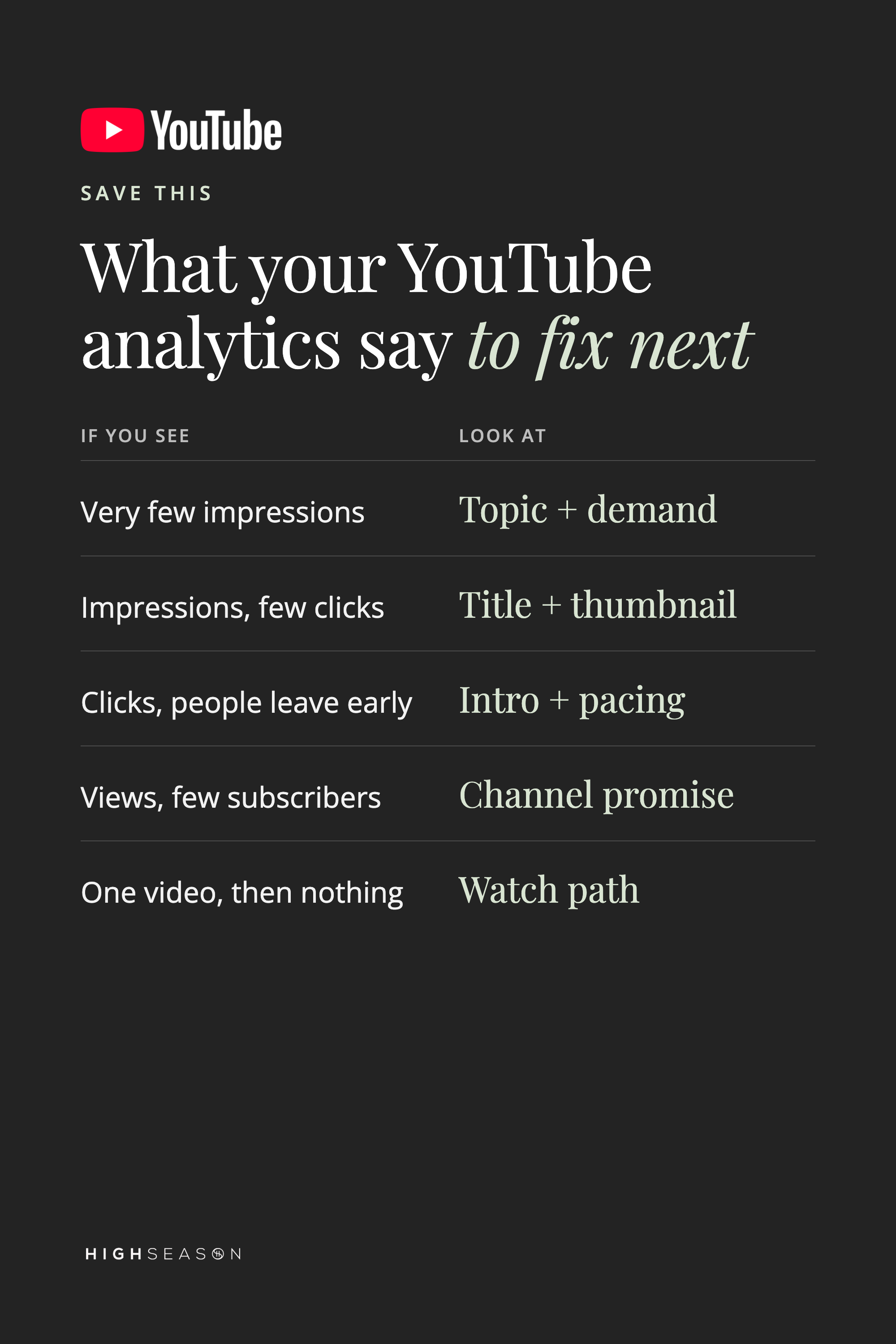
Your analytics show where your channel loses momentum. Match what you see to what to fix:
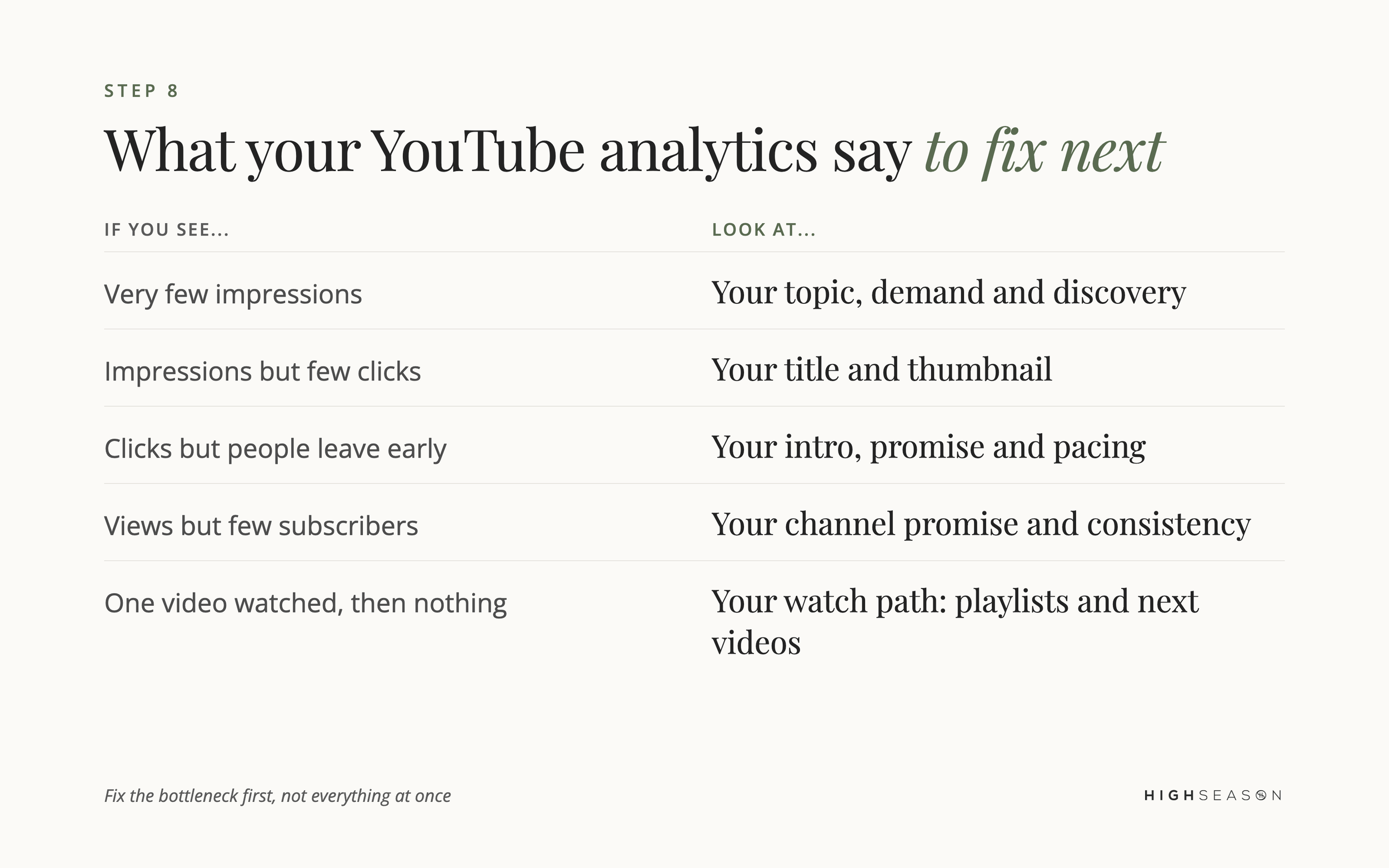
Few impressions point to your topic.
Few clicks point to your title and thumbnail.
Early drop-off points to your intro and pacing.
Few subscribers point to your channel promise.
And one video watched, then nothing, points to your watch path.
You need enough videos to see patterns, so three uploads won't tell you much. Publish, look at the data, adjust and publish again. When the data shows what people want, make more of it.
Your game plan between now and February
If we were below the requirements today, we'd run this system for every long-form video:
Choose a topic with proven demand
Build a strong title and thumbnail
Make the payoff clear in the intro
Give people a reason to stay
Connect it to another video on your channel
Optimize it so YouTube understands what it's about
Turn it into Shorts and promo content
Share it with your audience on other platforms
Review the results and plan the next one
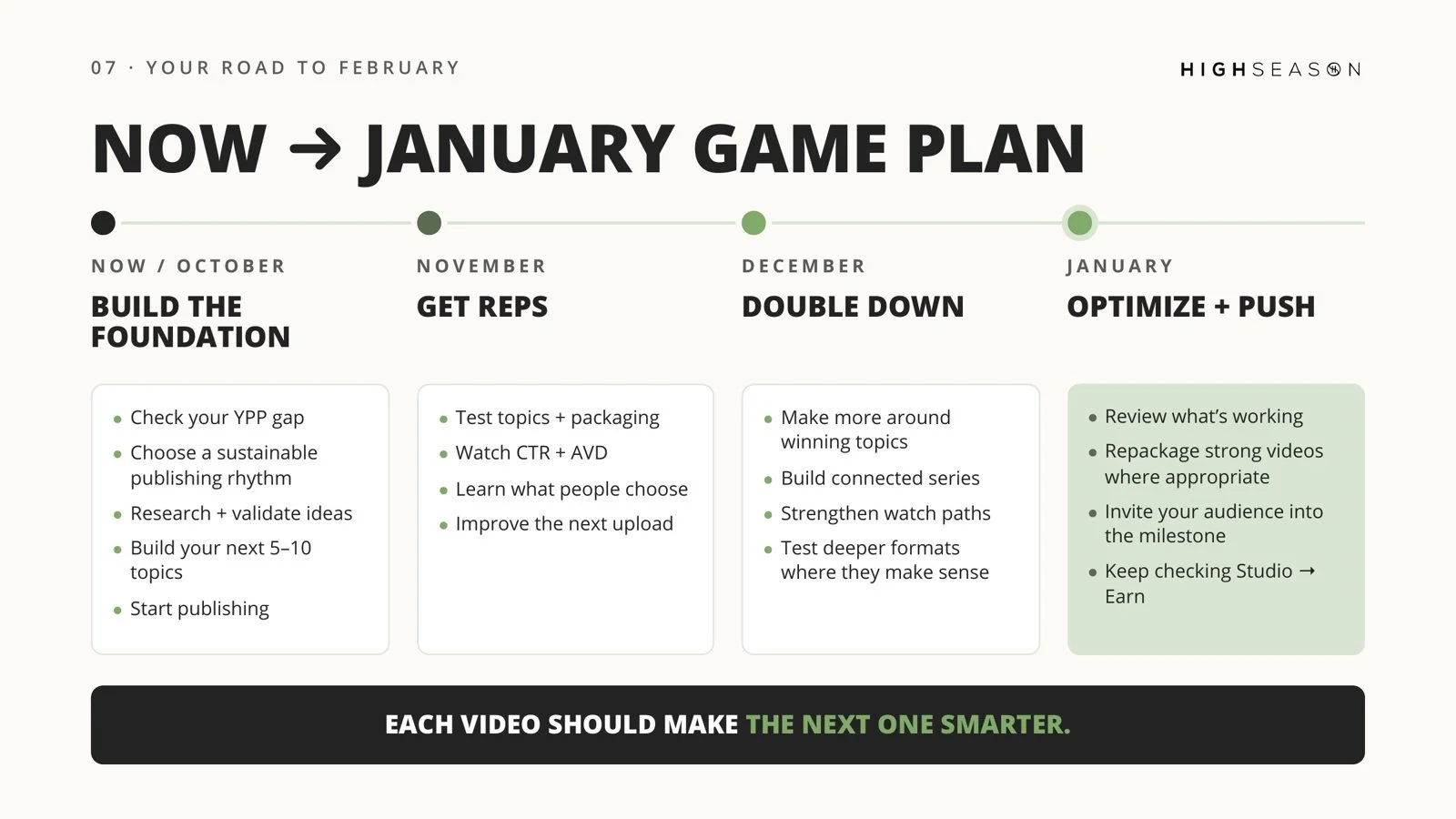
This works on both requirements at once. Better discovery brings more chances to earn subscribers. Better retention earns more watch time from every view. Connected videos earn more watch time from every person.
Bonus: set up payments early. To join YPP, you accept the program terms and link an AdSense for YouTube account, or set one up in YouTube Studio when you apply. Look at the Earn section of YouTube Studio before you qualify. We had ours ready, and it made approval much smoother.
And don't wait until the last week of January. YouTube reviews applications before approving them, so apply as soon as you're eligible.
YouTube monetization FAQ
Do channels already in the YouTube Partner Program need 8,000 watch hours? No. The 8,000-hour requirement applies to new applicants for ads and Premium revenue. Current partners keep their status but need to accept the updated terms in YouTube Studio by January 31, 2027.
When do the new YouTube monetization requirements start? February 1, 2027. Until then, the current requirements apply: 1,000 subscribers plus 4,000 watch hours in 12 months or 10 million Shorts views in 90 days.
Do Shorts views count toward 4,000 watch hours? No. Shorts are a separate route, measured in Shorts views. Only public long-form watch time counts toward watch hours.
Can I run YouTube ads to reach 4,000 watch hours? No. Watch hours and subscribers from ad campaigns don't count toward YPP eligibility.
What if I don't qualify before February 1, 2027? Keep building toward 8,000 hours. The 500-subscriber tier is unchanged, and your channel keeps growing your audience, trust, email list and sales either way. Ad revenue is one income stream. The channel is the asset.
Start with your setup
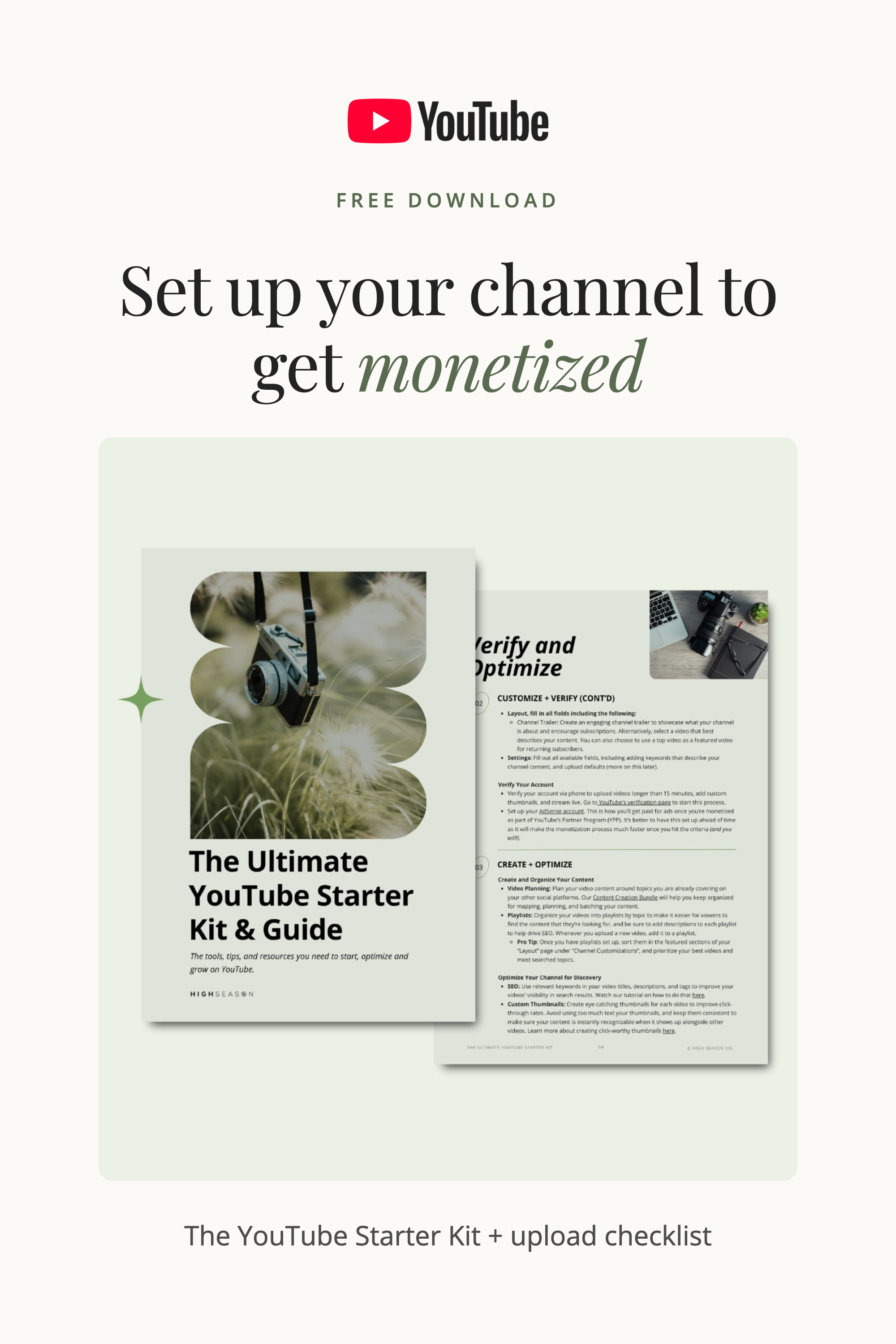
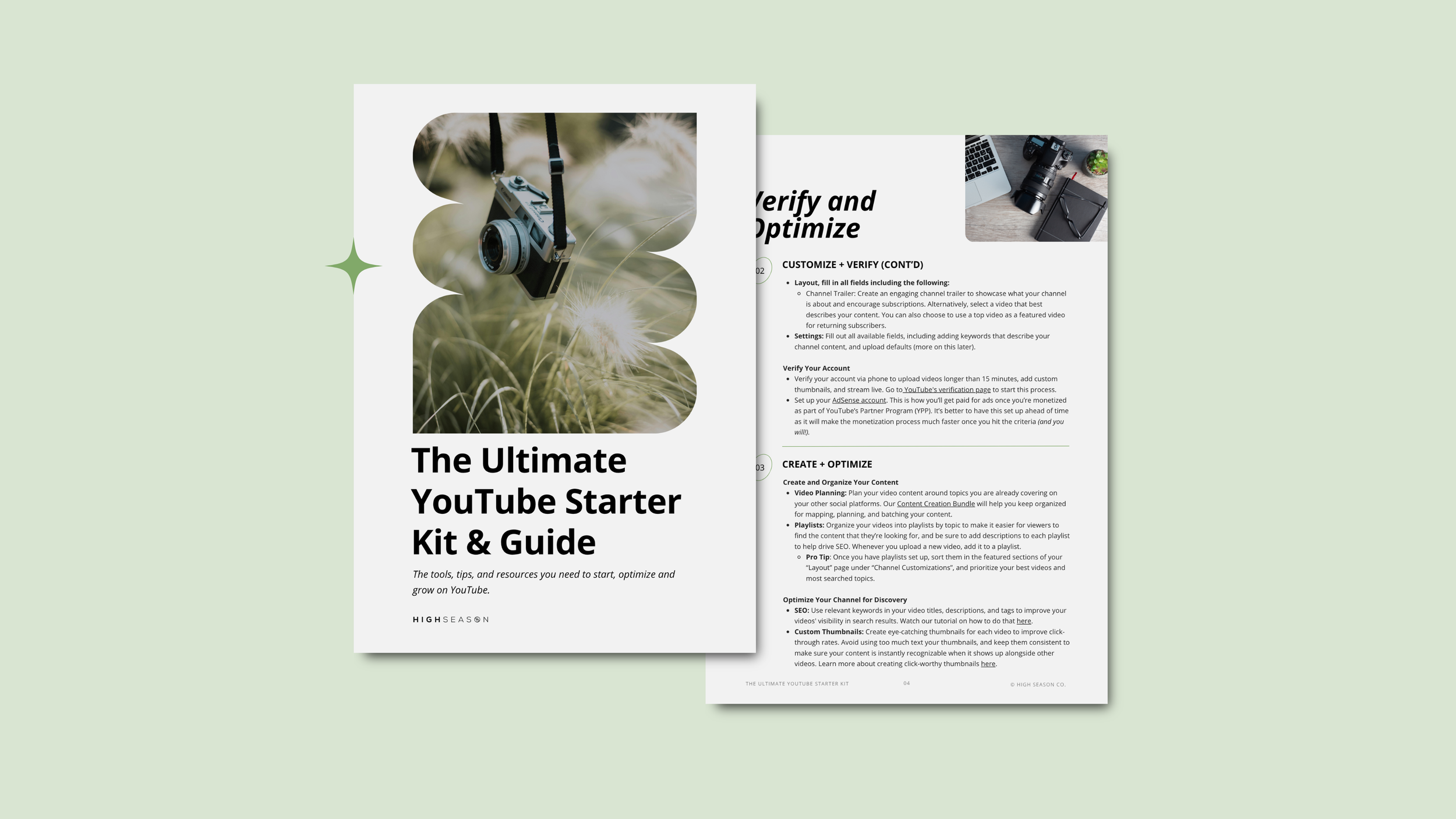
If you're working toward monetization over the next few months, start with our free YouTube Starter Kit. It walks you through setting up and optimizing your channel, plus the upload checklist we use so you never wonder if you forgot something before you hit Publish.
Want experienced eyes on your channel? Inside the High Season YouTube Membership, we audit members' channels, from topics and thumbnails to what your analytics are saying, and help you decide what to fix first.
You've got time. Use it well. We're rooting for you.